
How to Build a Personal Trainer Website That Gets More Bookings
Mo wants help with the rowing machine, not an application to change his life. Build your website around a first meeting that new clients can actually book.
Published by the GROW Formula® team · Updated

The button on Leon’s new personal training website says Apply now. Underneath it, the form asks, On a scale of one to ten, how committed are you to changing your life?
Mo has come to find out whether Leon can show him how to adjust the seat on the rowing machine. He gives himself a ten for wanting to know about the seat and a fairly solid three for having his life changed by a man he hasn’t met. There’s only one box.
He closes the form.
Leon assumes Mo needs more motivation. Mo is motivated enough to have walked past the gym twice to see how busy it gets. What he needs is fifteen minutes with Leon before he decides about the other fifty-five pounds.
If you’re working out how to build a personal trainer website, start with the appointment you want a new visitor to book. In the GROW Formula, a free Meet Me session gives someone who’s interested a chance to meet you, ask questions and decide whether they’d like to train with you. Put that session first on your service menu and first in your booking calendar. Then build the rest of the site around the questions someone will have before they click.
Here’s how Leon does it, and what you can borrow for your own site.
1. Choose a website builder that can book the right appointment
Before you spend an evening comparing templates, give each website builder one small audition. Create a trial service called Meet your trainer. Set the price to £0, the length to 15 minutes and the location to your gym or studio. Open it on your phone as a visitor.
Can you choose a real time? Does it ask you to put a card down for a free chat? Can you book without buying a membership? Does the confirmation tell you where to meet? If you already have PT scheduling software that handles this well, check whether the website can link straight to that appointment. That may be all the integration you need.
Ask the same questions if you’re hiring a designer. “Show me how somebody books the free introduction on a phone” is a much more revealing request than “Does it come in charcoal?” Almost everything associated with personal training comes in charcoal. Charcoal is well served.
2. Write a homepage that gives people a reason to meet you
Leon’s homepage photograph shows him at the top of a rope. Mo looks at it for some time. There’s evidently a story here, but his immediate concern is whether Leon would have the patience to teach him something most of the gym seems to know already.
Put your name, the people you train and your location in the first screen. Follow them with a sentence that shows those people what you’re like as a trainer. Here’s what Leon, our fictional PT, could put on his homepage:
Personal training for gym beginners in Derby I’m Leon. I help adults who’d like to feel comfortable training on their own. Bring me one piece of kit you’d love to understand. We can look at it together when you visit the gym. Book a free 15-minute introduction
Choose an invitation that suits your actual clients. Someone interested in online PT might want to see how you give feedback on an exercise video. A new parent looking for strength sessions at home might want to show you the available floor space, much of which technically belongs to a small wooden railway.
Use a recent photograph of yourself teaching and a short bio with your relevant qualifications. Then pick two details that genuinely make training possible for your audience. At Leon’s gym, a visitor can enter without a membership and book at a less busy time. Both deserve space on the homepage. The rope photograph can go on his About page, where interested parties can follow developments at altitude.
4. Make the booking confirmation earn the first visit
Leon’s original confirmation said Your journey begins here. It didn’t say which entrance to use. The building also houses a carpet warehouse. Neither business benefits from ambiguity on this point.
Send yourself a test confirmation. It should name the trainer, appointment, time, duration and location. If the building is shared, a photo of the actual entrance or a note about reception can settle a worry that a map pin can’t. For a video call, put the joining link in the message itself.
Tell people what to bring and whether they’ll exercise. If you offer a conversation and tour, “Come in whatever you’re wearing that day” is useful information. If yours is a movement assessment, give it that name and explain what’s involved. A visitor should be able to tell whether booking fifteen minutes with you entails fifteen minutes of talking or a surprise lunge in work trousers.
On the day, let the appointment deliver what the website promised. Start with something as simple as “What would you most like to feel comfortable doing here?” Give the answer some room. You’ll learn more from Mo pointing at the rowing machine than from asking him to reconsider whether he might, deep down, be an eight.
5. Test the route from recommendation to reception
Give a friend the link to your About page. People often share the page with your photograph when recommending you: That’s him. The one on the rope. Ask your friend to find the cost of a paid session, book a free introduction on their phone and tell you where they’d go on arrival. Try it on mobile data. Watch for any point where they have to return to the homepage, type information twice or message you to ask what a button means.
Once the site is live, count completed introductions and how many people actually attend. Count paid bookings that follow, too. If introductions are booked but people don’t arrive, check the directions and reminders. If visitors reach the calendar but can never find an available time, look at the slots you’re offering. Those are different problems. Neither is improved by changing charcoal to a slightly more ambitious charcoal.
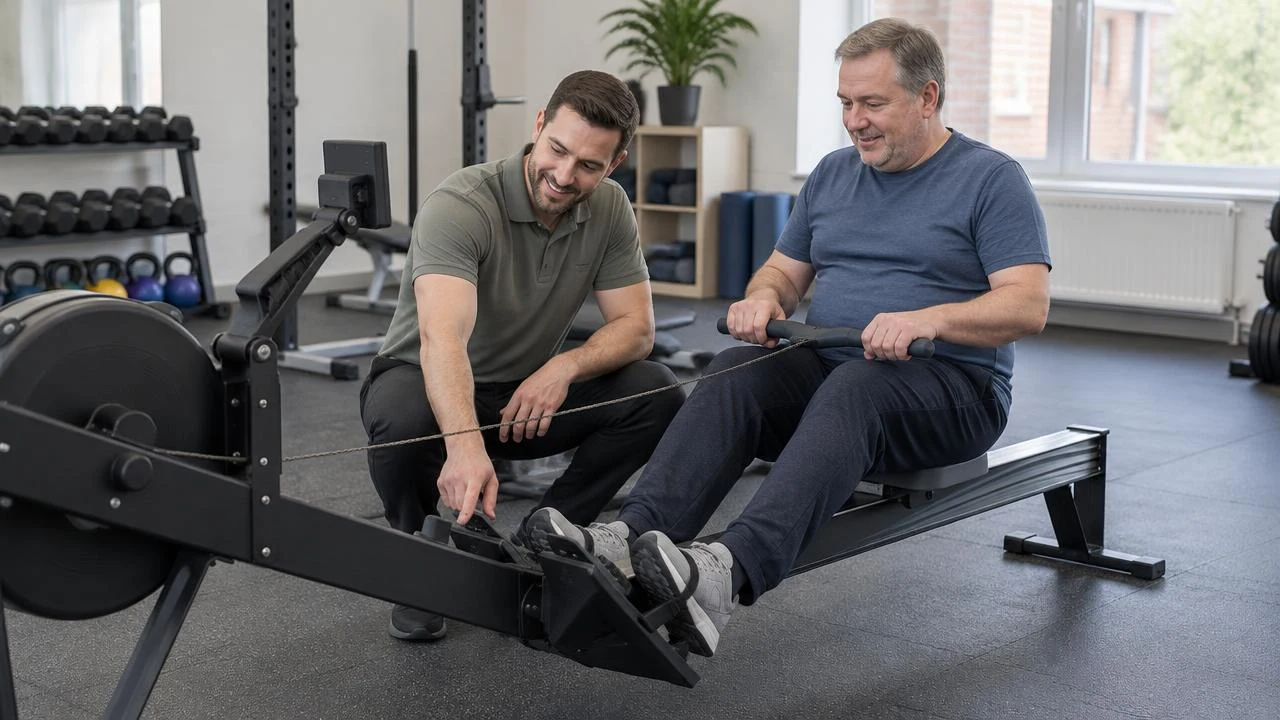
Mo turns up on Friday. Leon meets him at reception. They spend a few minutes at the rowing machine, and Mo discovers that the bit he’s been trying to adjust is the footplate. He has a go. So does Leon, in his work trousers. Neither lunges.
“Anything else you’d want from training?” Leon asks.
“Yes,” says Mo. “I’d quite like to come here on my own and know what to do for half an hour.”
That’s a useful starting point for a paid session. It’s also rather good homepage copy. Leon writes it down after Mo leaves.
Before putting more time or money into attracting personal training clients, check that your fees and the number of paid appointments you need add up. Personal Trainer Business Plan: How Many Paid Sessions Do You Actually Need?.
Once personal training clients find you, what happens before, during and after their appointment matters too. Give great service in your practice.
More on be visible online

Where to go next
The same principle in other professions
Ideas often travel well between modalities.
SEO for Acupuncturists: 5 Ways to Get Found by Local Patients
Getting found on Google was supposed to be the difficult bit. The harder job is making the words a patient searches, the page they find and the appointment they can attend agree.

SEO for Chiropractors: 5 Ways to Help Local Patients Find Your Clinic
Neil recommends Imogen by the big Co-op. Help local patients turn half a recommendation into the right clinic, the right door and an appointment.

Websites for Counsellors: Read This Before You Pay a Designer
Helen has twenty minutes and a cheese sandwich. Here's how to build a counselling website she can use before her lunch break ends.

How to Build an Aromatherapy Website That Gets Bookings
Jo has sixty quid from her birthday and a strong dislike of lavender. Here's how to build an aromatherapy website she can actually book from.