
5 Ways to Make Your Bowen Therapy Website Work With One Thumb
Tess wants the price of a first appointment. Her whippet has other plans. Five mobile website fixes can help newcomers book with one thumb.
Published by the GROW Formula® team · Updated

At 5.12 on a wet Tuesday, a whippet called Graham enrols in a newsletter about the Bowen Technique.
The phone belongs to his owner, Tess. She was trying to find the price of a first appointment. A box popped up offering her a free guide, Graham spotted a spaniel on the opposite pavement, and Tess’s right thumb took the only decision available to it under the circumstances.
The guide is called Finding Stillness. Graham has historically struggled with this.
Plenty of people will first encounter your Bowen therapy website in conditions your designer didn’t enjoy while building it. A bag on one arm. A child asleep on a shoulder. A phone held in whichever hand feels comfortable today. In Tess’s case, a recommendation from a friend and a narrow window before the next spaniel.
Here are five ways to help someone go from “What’s Bowen?” to “That appointment works for me” using one thumb. You can try all five on your own website today. The dog is optional.
1. Give the first screen one useful decision
Tess has opened a link to a local practitioner called Beth. On Beth’s laptop, the homepage is a handsome photograph beside a short introduction and a booking button. On Tess’s phone, the photograph fills the screen. All she can see is a treatment couch and the top half of a rubber plant. Neither has introduced itself.
Open your homepage in portrait on a phone. What can you learn before the first scroll? Give that space to your name, what you do, where you work and an obvious next step. Keep the photo modest enough that the words and button arrive with it. Beth’s opening might look like this:
Bowen therapy in York with Beth Walker Gentle, hands-on bodywork with short pauses between sets of moves. New to Bowen? See what your first appointment involves, how long it takes and what it costs. See first visit and fees
That button suits somebody who’s just heard of Bowen. A plainly labelled Book a session link in the mobile navigation serves the person whose friend has already answered sixteen questions over lunch. Both visitors know where their tap will take them.
If you offer a mailing list or a free guide, give it a place after the useful information, where someone can choose it deliberately. Graham’s interest in ongoing professional correspondence has been greatly overstated.
2. Put the Bowen explanation on the page people actually land on
When a service is unfamiliar, a menu labelled Philosophy, Method, Approach and Discover asks the visitor to classify their ignorance before you’ll help them with it. Tess’s question is simply, “What would Beth actually do?”
Give Your first Bowen session its own descriptive heading. Link to it from the homepage, the booking page and anywhere else a newcomer might arrive. In a short paragraph, describe your hands, their clothing and the pauses. Those pauses are worth mentioning. A new client lying without talking while a practitioner steps back may otherwise spend a peaceful two minutes wondering whether the appointment has finished and it would be rude to stay.
We’ll start by talking about what brings you here. If we agree to go ahead, I’ll use my fingers and thumbs to make gentle rolling movements, with short pauses between sets. I usually work through light clothing. I’ll explain how you can get comfortable and check the position and pressure with you. You can ask me to adjust or stop at any point.
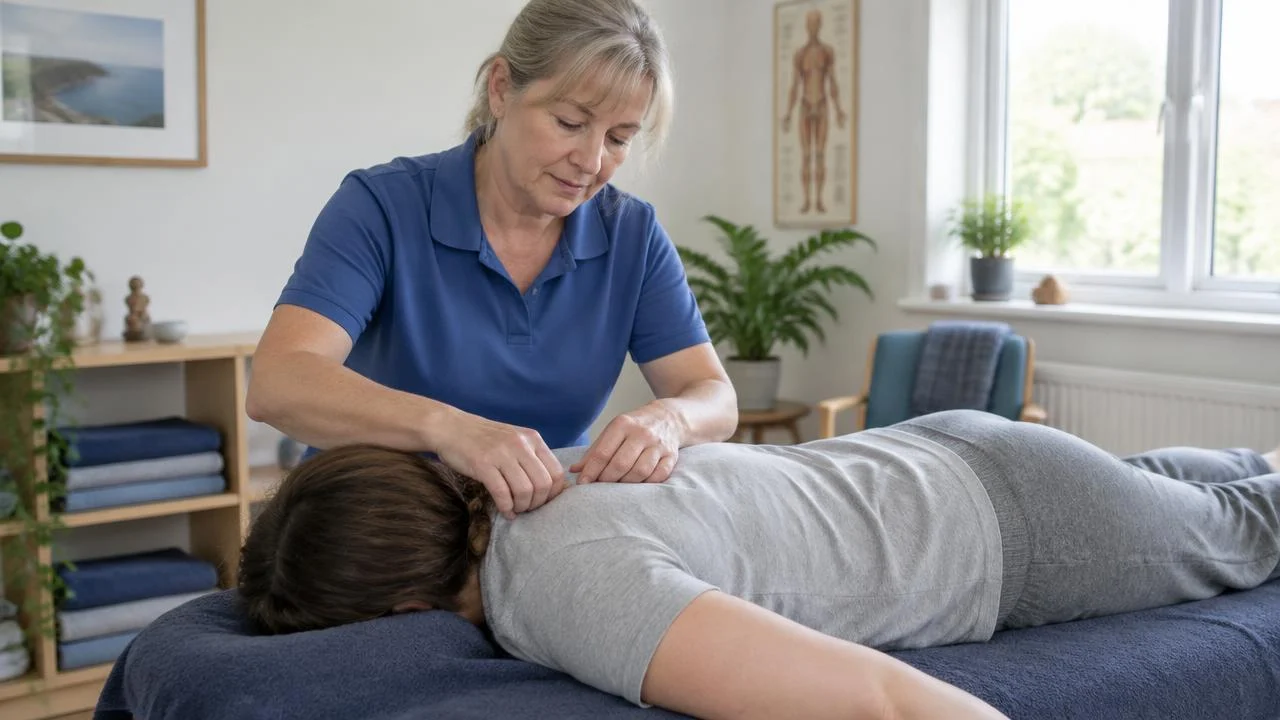
Adapt that wording to your practice, including what you do during the pauses. The Bowen Association UK describes how the technique can be carried out through light clothing or on the skin according to the client’s preference. A description of what someone can expect is useful in its own right. Bowen Association UK guide to a session
Put the fee, total appointment time and practitioner’s name immediately below. Add a small, recent portrait and a link to your relevant qualifications or professional listing. Keep the essentials in the page text. Tess shouldn’t have to download Bowen Welcome Pack FINAL v6 and steer a PDF sideways past a bus shelter to find the price.
4. Carry the appointment choice into the booking calendar
Tess chooses First Bowen session · 60 minutes · £60. The calendar asks her to select a service. She would like the one she selected approximately one second ago, back when she was young and hopeful.
If your booking software allows it, link directly to the service the visitor chose. Otherwise, use identical appointment names, fees and durations on both screens. Stack choices vertically. On a narrow phone, a list of available times under Thursday 18th is easier to read and tap than a desktop month shrunk to the approximate dimensions of a commemorative stamp.
Include the consultation in the stated duration if that’s how you charge. If you offer a free introductory call, list it first and explain who rings whom. Give the person a way to go back one step and choose a different time without typing their details again. Beside the form, make your business email and mobile number tappable for anyone who wants to check something first. Say when you’ll reply.
Carry that precision into the confirmation. Include the address, an Open in maps link, the entrance and any access details. If you work from more than one clinic, send directions for the one they booked. Discovering that Beth also practises in Harrogate is the sort of local interest Tess would prefer to acquire voluntarily.
5. Run the one-handed test from a friend’s text to the clinic door
Send your website link to somebody who has never booked with you. Ask them to open it on their own phone, using mobile data and whichever hand they prefer. Give them one job:
You’ve been recommended this Bowen therapist. Find out whether you can stay dressed, choose a first visit that fits a £60 budget and check how you’d get into the building. Stop before confirming a real booking.
Watch where their second hand comes in. Did they need to pinch and zoom to read a price? Hold the phone steady to tap a date? Copy the postcode because the directions weren’t linked? Ask what they were trying to do at that moment. That answer gives you a specific fix. Run the final confirmation yourself with a test appointment so you can check the whole journey.
Later that week Tess opens Beth’s revised site on the evening walk. She finds the clothing advice, checks the fee, chooses Saturday and pockets her phone before Graham finishes investigating a drainpipe. For Beth, that’s a booked appointment. For Tess, it’s one less thing to remember when she gets home.
Graham has unsubscribed. He felt the newsletter was getting away from its original focus on spaniels.
Before putting more time or money into attracting Bowen clients, check that your fees and the number of paid appointments you need add up. Do the maths for your practice.
Once Bowen clients find you, what happens before, during and after their appointment matters too. Give great service in your practice.
Where to go next
The same principle in other professions
Ideas often travel well between modalities.

How to Build a Doula Website That Overcomes Hesitation
Maya and Jo want to know who will turn up, what support includes and what it costs. Four website details can help families picture working with you.
SEO for Physiotherapists: 5 Ways to Help Local Patients Find Your Clinic
Local SEO for physiotherapists starts with matching a patient's words to a service you actually deliver, in a place they can reach.

Websites for Physiotherapists: 5 Ways to Make a First Appointment Easier to Book
Try looking at your website with a new patient's one piece of information: they know what they're finding difficult. Can they use that knowledge to choose the right appointment?
SEO for Yoga Teachers: 5 Ways to Help Local Students Find Your Classes
SEO for yoga teachers starts with giving each regular class a web page people can find, recognise and use this term.